Family and Grandparent View: a read-only window into the calendar
A way for grandparents, extended family, and a new partner to see the schedule without asking the parent every time.
When we talked to parents using the app, the same story kept coming up. A grandmother who wanted to know whose week it was so she could plan a visit. A new partner trying to fit Friday dinners around the schedule. An aunt who would happily do school pickup if she just knew when.
They all wanted to help. They all ended up texting the parent to ask.
So we built a calendar view just for them. Read-only, password-protected, and easy to share.
What it is
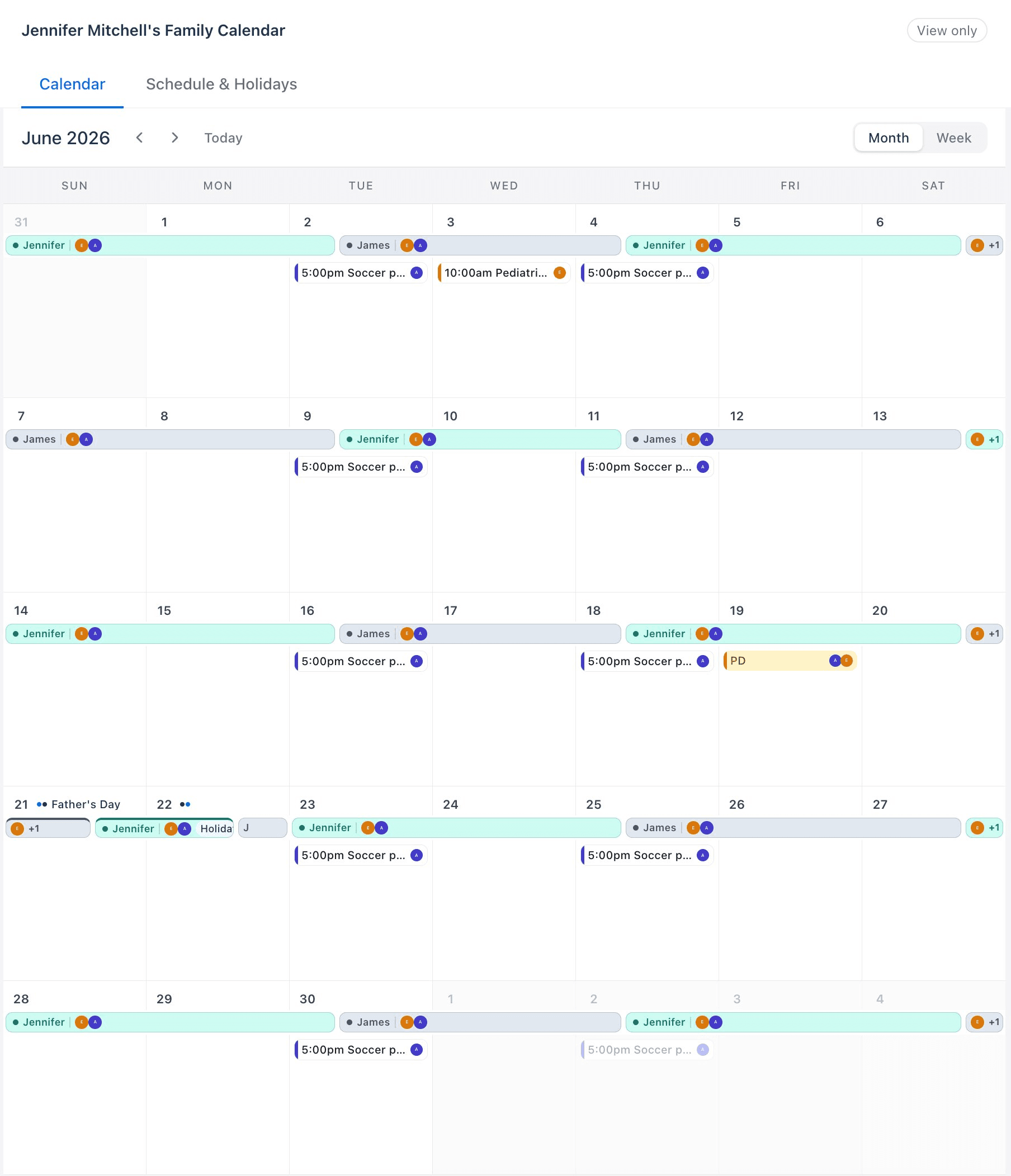
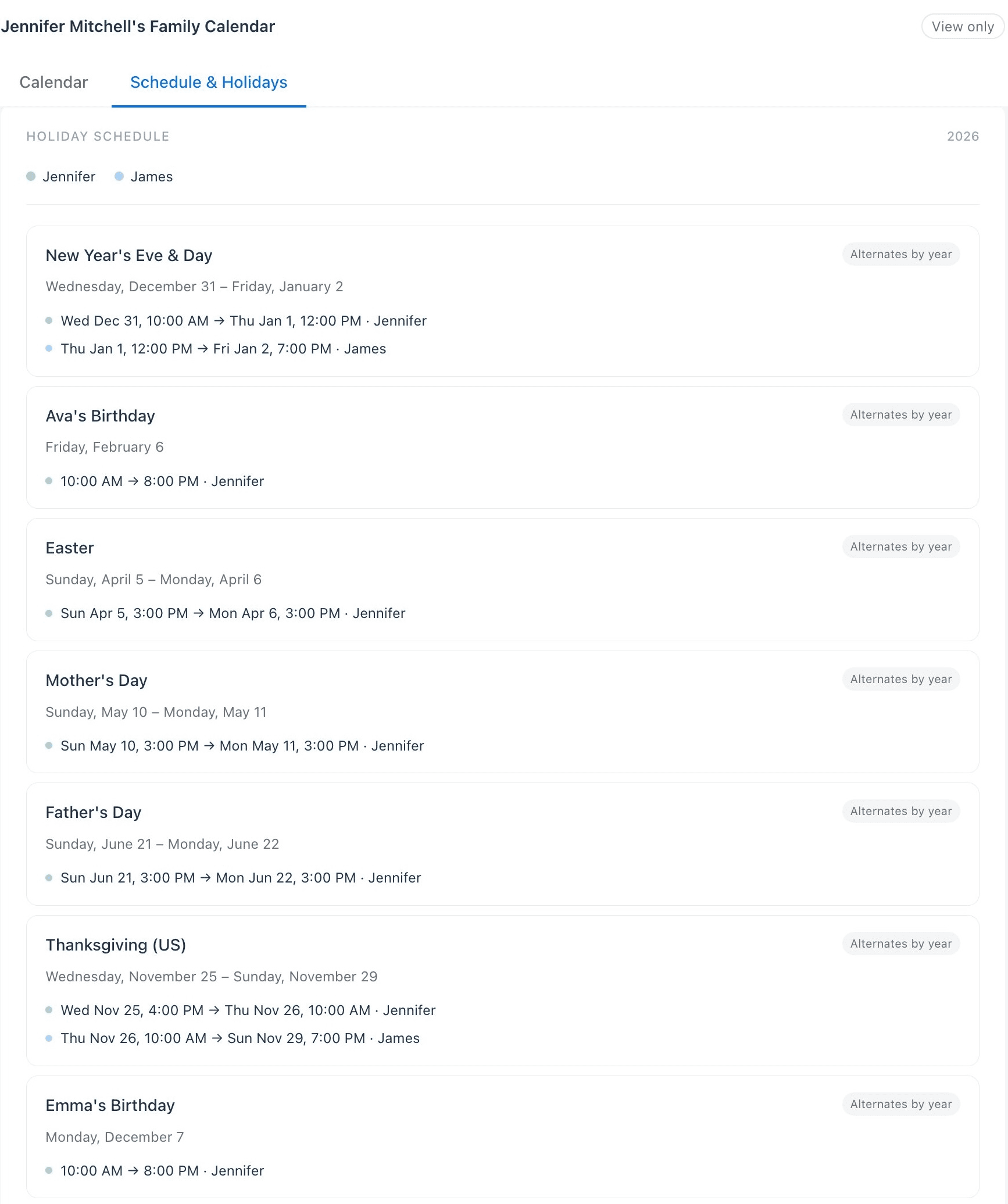
Family View is a shareable link to the household calendar. It shows the custody rotation, any swaps or changes, appointments, school events, and the kids' activities. It also has a second page that shows the holiday rotation for the year, so everyone knows who has the kids on Christmas and Thanksgiving.
Whoever opens the link can see the calendar. They can't edit it. They can't message anyone through it. It is a window, not a door.
Why it matters after a split
After a separation or divorce, it usually takes more than two parents to keep a kid's life running. A grandparent does the Tuesday pickup. A sister covers the PD day. A new partner learns the soccer schedule. The village is still there. It just has to work harder to stay coordinated.
The parent ends up as the switchboard. Everyone who wants to help has to ask first, and the asking has its own weight. A simple read-only calendar takes most of that weight off.
How it works
Either parent can set up their own view for their side of the family. It takes a minute.
Each parent's view is separate. Jennifer can share with her parents. James can share with his. Neither view exposes anything the other parent hasn't already put on the shared calendar. And because it is read-only, nobody on the family side can accidentally move an appointment or change a custody window.
- Open the app and turn on Family View from settings.
- Pick a password the people you're sharing with will remember.
- Send them the link. They enter the password once and they're in.
- Revoke the link any time. If a relationship changes, the access changes with it.
What people actually see
The main page is a month or week view of the calendar, color-coded by which parent has the kids. Activities, appointments, and school events show up where they belong. If a swap happens, the view updates with it.
The Schedule and Holidays page lists the year's anchor days: birthdays, long weekends, religious holidays, school breaks. Each one shows who is on for that window. There is no guesswork about Christmas morning. The plan is the plan, and the people who love your kids can see it.
A small thing that does a lot
Family View doesn't solve the hard parts of co-parenting. It isn't meant to. It does one quiet job: it gets the schedule out of the parents' heads and into the hands of the people who already want to show up.
Grandparents stop asking. New partners stop guessing. Aunts and uncles know when to offer. The parent goes from switchboard to person again.
The schedule belongs to the family, not just the parent holding the phone.
Family View is available on the just parent Plus and Complete plans. Read more about how the calendar works, or turn it on in settings whenever the people in your kids' lives are ready to be in the loop.